
Dispatch System Guide
Hello, Masters!
Here is a guide to Dispatch, added with the update on November 23 (Mon).
Dispatch
- You can dispatch Heroes you are not using to other eras to earn rewards.
- You can open the Dispatch UI by pressing [Dispatch] in the Menu, or with the key you set in Key Setting.
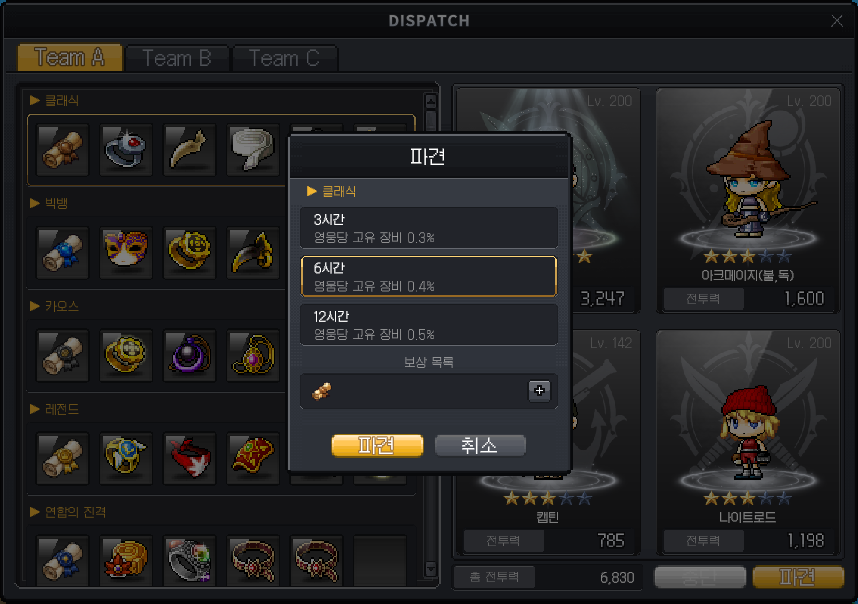
Sending a Dispatch
- You can put up to 4 Heroes in a team, and dispatch up to 3 teams at the same time.
- Choose the era and the duration of the dispatch.
- You can choose from 12 eras.
- You can choose a duration of 3 hours, 6 hours, or 12 hours.
- The dispatch time keeps running even after you log out.
- Only Heroes Lv. 30 or higher can be dispatched.
- ※ Heroes currently in use and Heroes already on a dispatch cannot be dispatched.
- ※ If you stop a dispatch, you cannot receive its rewards.
Dispatch Rewards
- When a dispatch ends, press [Receive] in the Dispatch UI to claim the rewards.
- Mesos and Hero EXP
- Monster items that match the Hero's level
- Hero Essence
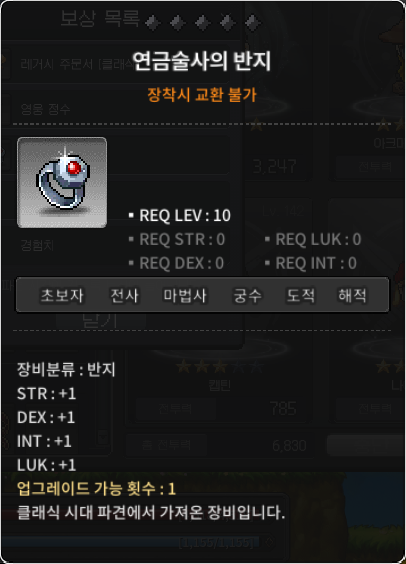
- Era Gear of the selected era
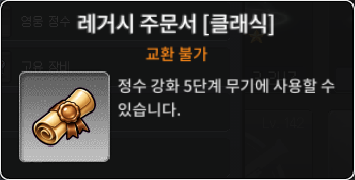
- Legacy Scrolls of the selected era
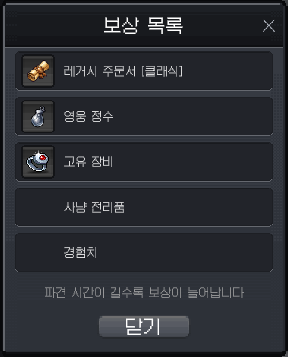
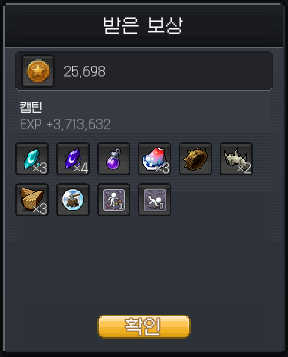
- The higher your Heroes' Combat Power and the longer the dispatch, the more rewards you get.
- ※ Era Gear and Legacy Scrolls can be obtained at a certain chance.
- ※ Occult Cubes obtained from Dispatch also count toward the daily account limit.
First Dispatch Quest
- When a Hero reaches Lv. 30, you can receive the First Dispatch quest from the notification on the left side of the screen.
- Talk to Dispatch Officer Crawson, then dispatch one team to complete it.
- Completing it grants Hero EXP.
We will keep working hard to make Merena smooth and enjoyable.